Data orchestration with people in control.
Automated batches build downstream data, visuals and reports on the same engine as every query. Each run is decided, planned, run and recorded, and the Command Center lets business owners find a failure, check its inputs and re-run it themselves.
Orchestration: the same engine, with control.
Orchestration runs on the shared engine and adds control: it decides when to run and what to rebuild, plans the order, logs every step and writes versioned results, and people can step in at any point. No separate workflow tool to license or manage.
How a run is decided, planned, run and recorded.
Before anything is calculated, the engine decides whether the run can start, works out what it needs, what can be reused and in what order to build the rest. That keeps large batch runs fast, within memory and fully traceable.
- 1TriggersOn a schedule, on an event such as a file landing or an upstream run finishing, or by hand.
- 2ReadinessInputs and dependencies are checked; a missing input holds the run.
- 3Sign-off gatesSteps that need approval wait for it before continuing.
- 4Building blocksFind every source, table and report the run touches.
- 5VersionsPick the right version of each one.
- 6OrderSequence the artifacts, then the columns and cells inside each.
- 7Reuse or recalculateRebuild only what changed; reuse the rest.
- 8Stage by stageWorktables, then intermediate tables, then reports, logged as it runs.
- 9SQL or Excel rulesEach artifact runs the logic it is defined with: its SQL, or the versioned rule parsed from its Excel formula.
- 10RetriesFailed steps retry as configured, then alert the owner and pause.
- 11New versionsLog the version of every artifact used and created.
- 12Audit trailWhich artifacts, which versions, and how each value was calculated.
Intermediate tables can also be kept as stored tables when users need them for audit.
Monitoring and re-running jobs.
One screen to monitor runs, inspect their inputs and re-run failures. The six steps below follow a failed run from detection to re-execution.
-
Step 01
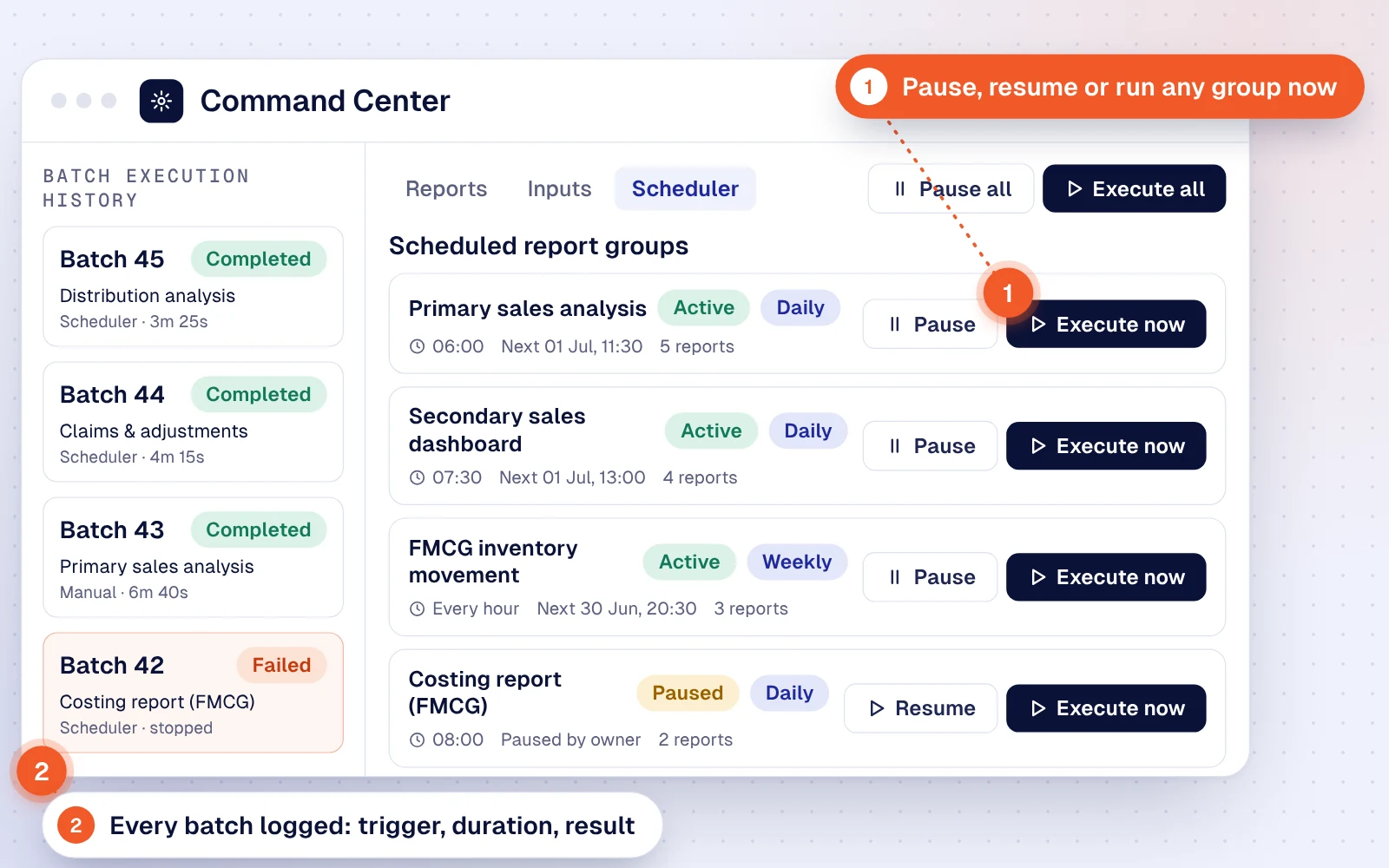
Watch every run
Scheduled report groups sit beside the batch history: what ran, what triggered it and how long it took.
- LoggedBatch 45 · scheduler · 3m 25s
- FailedBatch 42 · costing report
- ActionPause, resume or execute now
-
Step 02
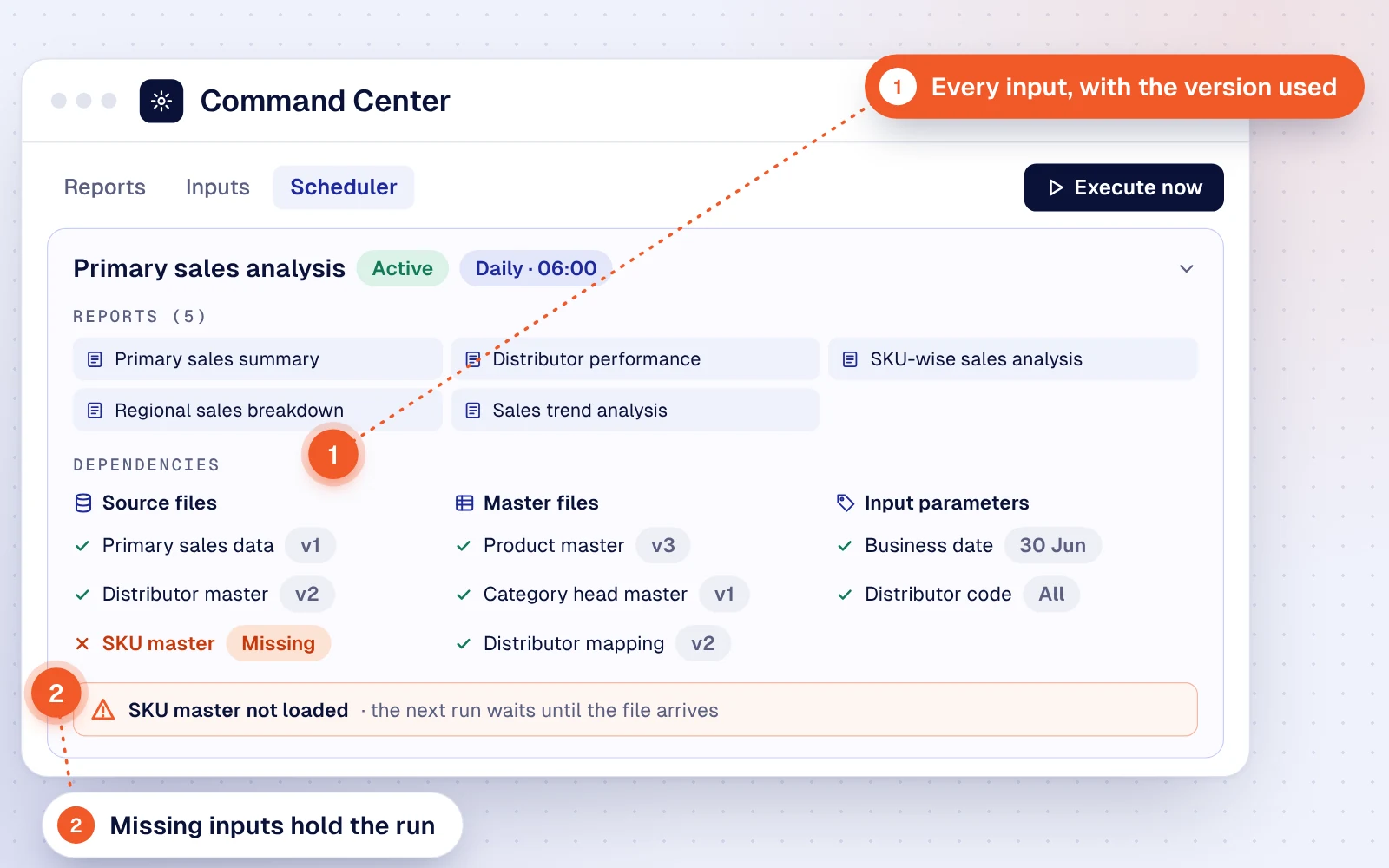
See what a run depends on
Open a group to see its reports and every source, master file and parameter, with the version each will use.
- ReadyPrimary sales data · v1
- ReadyProduct master · v3
- MissingSKU master · the run waits
-
Step 03
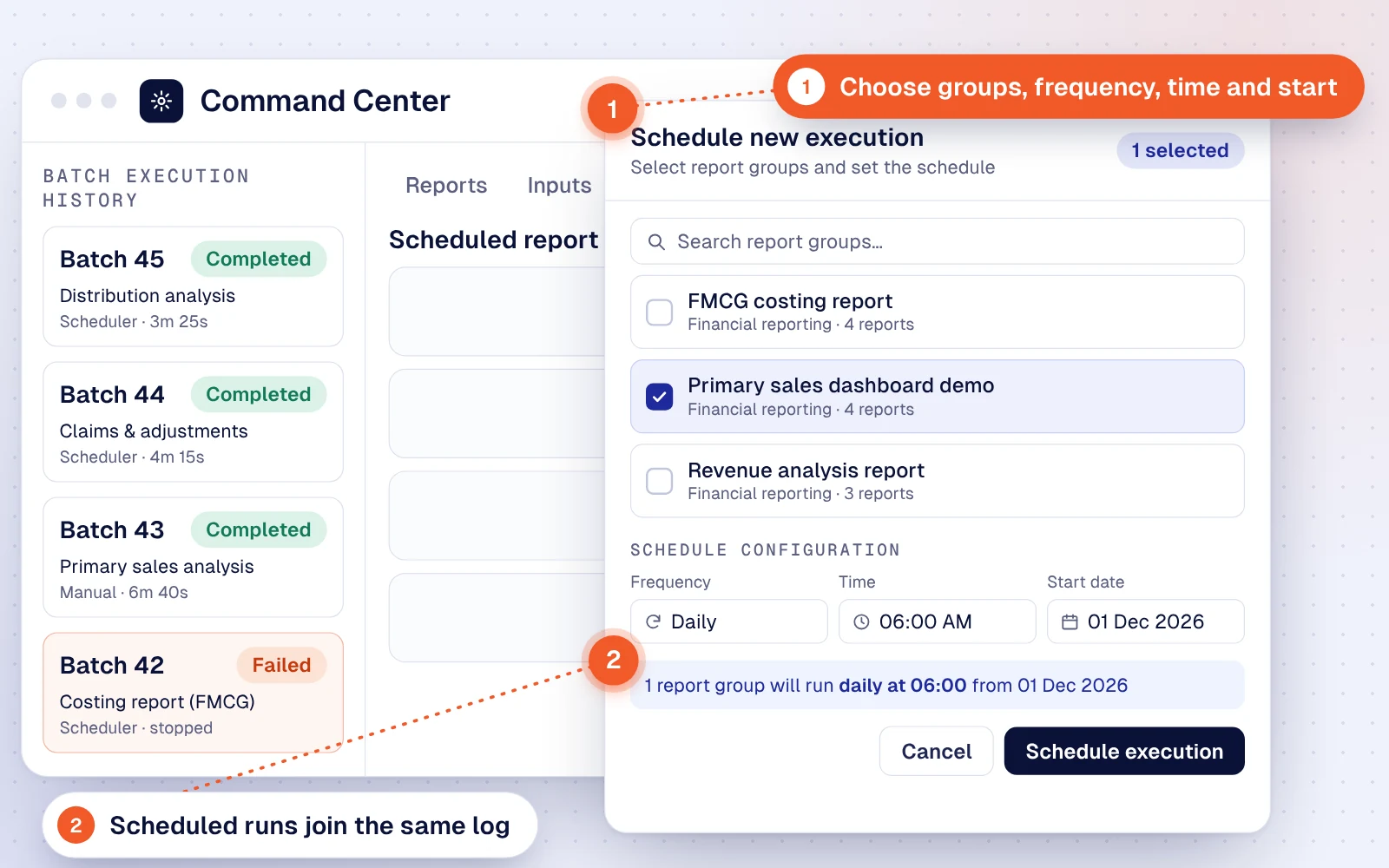
Schedule or start a run
Pick report groups, then set the frequency, time and start date, or run a group straight away.
- GroupPrimary sales dashboard demo
- ScheduleDaily at 06:00 from 01 Dec 2026
-
Step 04
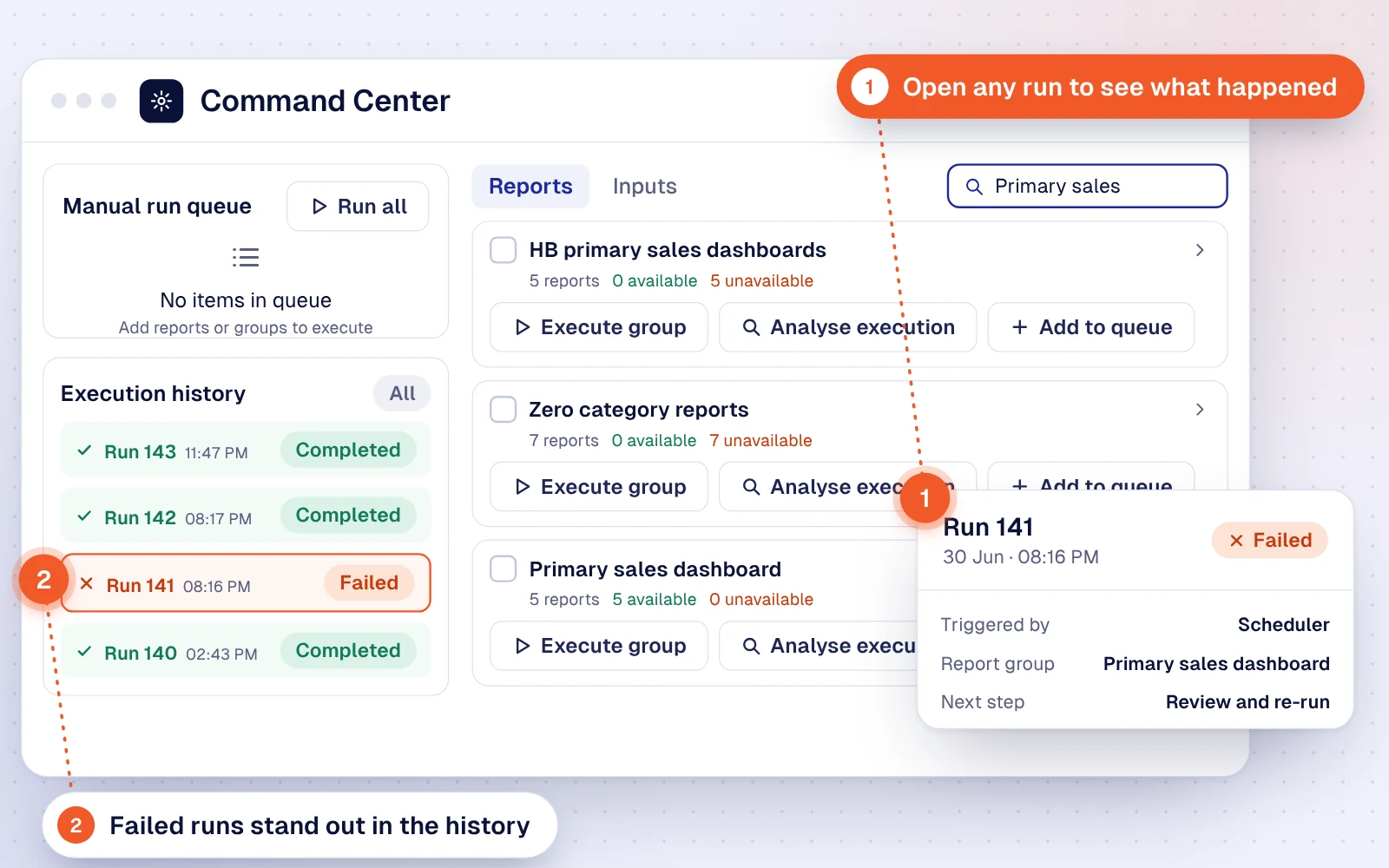
Spot the failed run
The execution history marks the failed run. Open it to see what triggered it and which group it belongs to.
- FailedRun 141 · 30 Jun · 08:16 PM
- ActionAnalyse execution, then re-run
-
Step 05
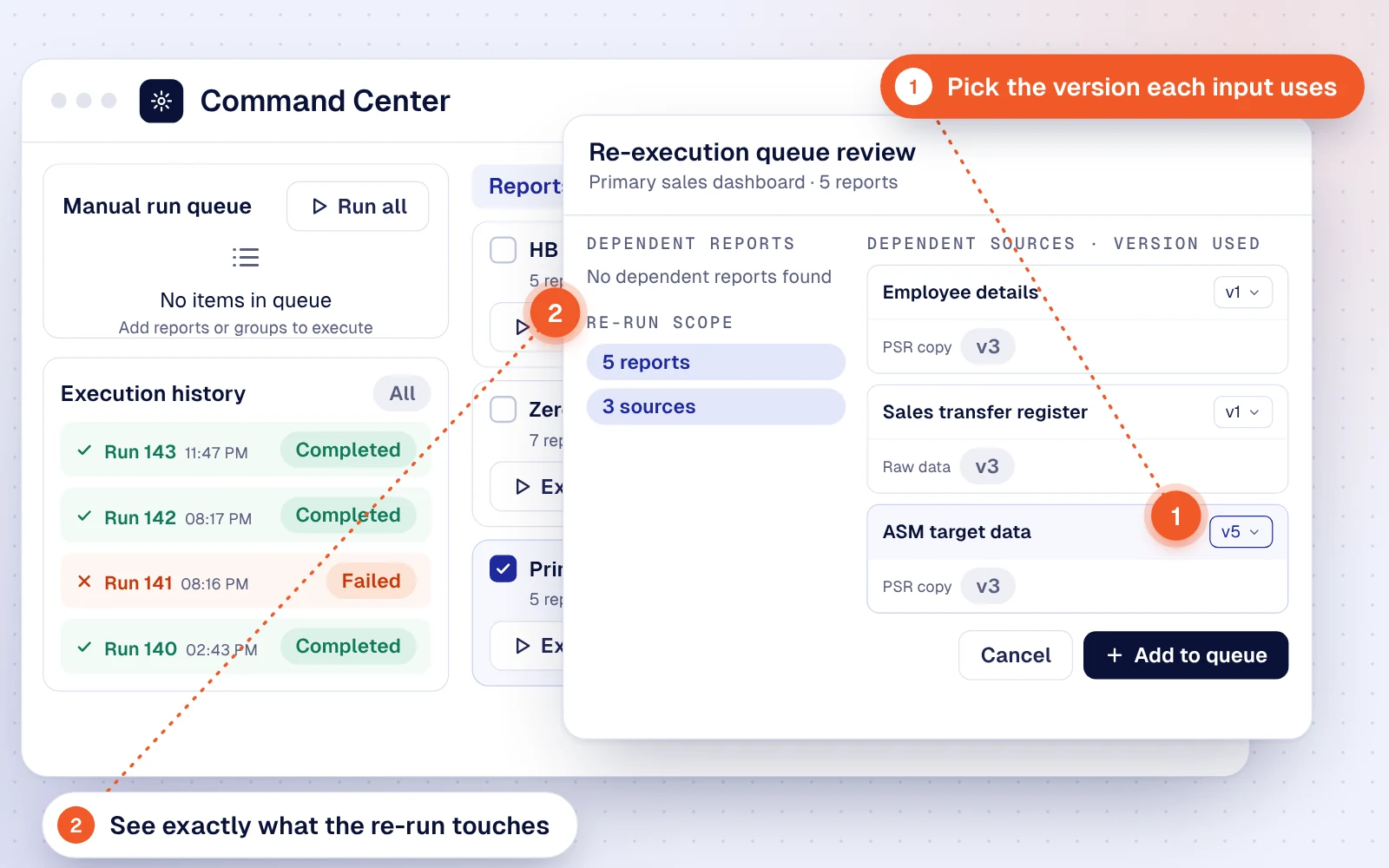
Review before re-running
The review lists dependent reports and sources, and lets you pick the version of each input the re-run reads.
- Scope5 reports · no dependent reports
- VersionASM target data · v5 selected
- ActionAdd to queue
-
Step 06
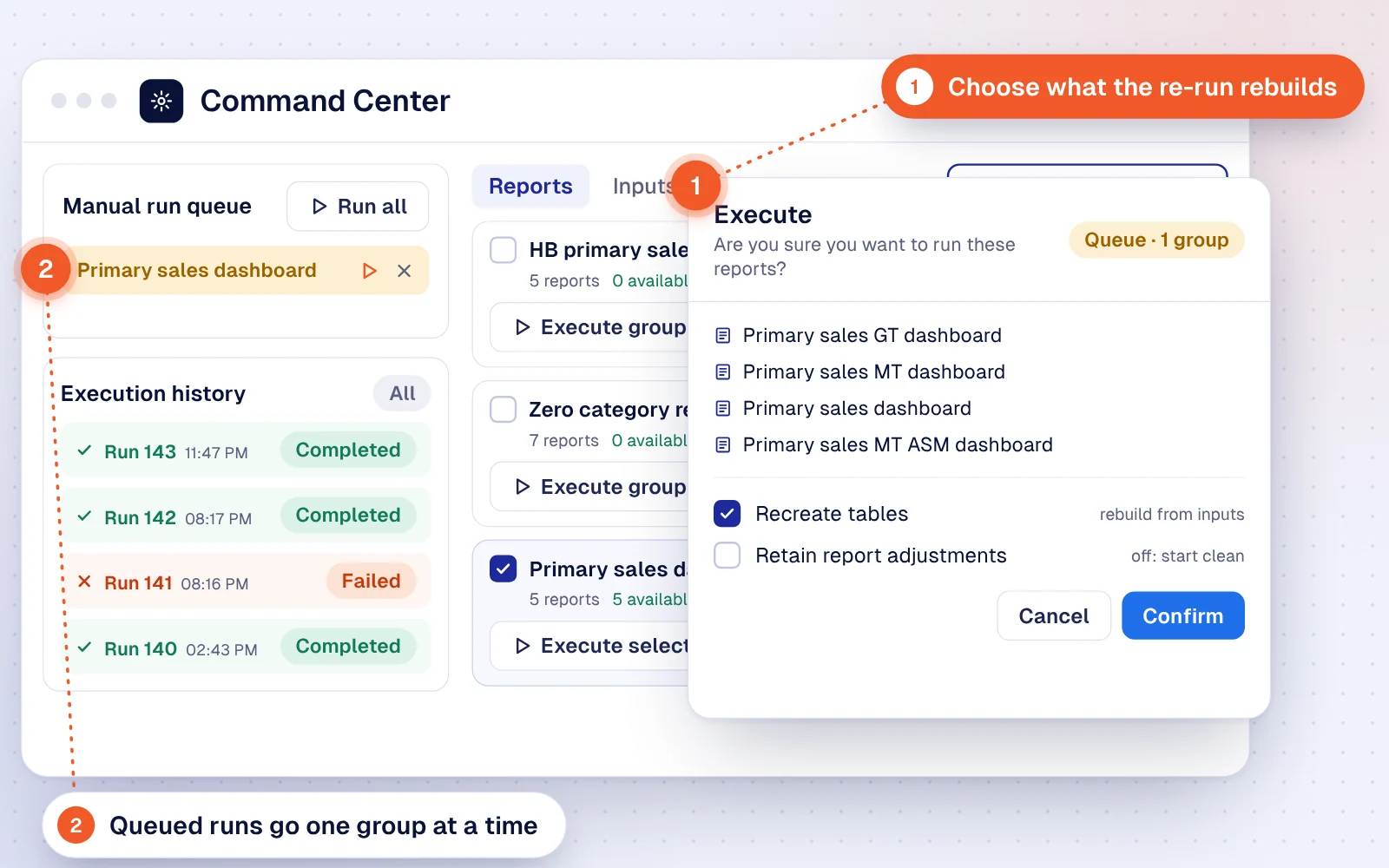
Confirm and execute
Confirm the queued run and choose whether to rebuild tables and keep adjustments already posted.
- OnRecreate tables from inputs
- OffRetain report adjustments
- RunPrimary sales dashboard executes
Frequently asked questions.
Do we still need Airflow or another workflow tool?
No. Scheduling, orchestration and the Command Center ship with the platform, with no separate workflow tool to license or manage. Runs start on a schedule, by hand, or on events such as a file landing or a process completing. Steps run in dependency order, failures retry as configured, owners are alerted, and runs can be paused, restarted from a checkpoint or held for sign-off, with every run logged.
How does a run decide what to recalculate?
The execution engine first identifies the building blocks a run needs (sources, worktables, business tables, intermediate tables and reports) and the right version of each. Artifacts whose inputs have not changed are reused; the rest are recalculated in order, worktables first, then intermediate tables, then reports. Every artifact used or created is logged with its version, with an audit trail of how each value was calculated.
Can business users re-run a failed run themselves?
Yes. In the Command Center they see every run with its inputs, open a failed run, review the dependent reports and sources, choose the version of each input and queue the re-run, with options to recreate tables and keep report adjustments.
Talk to us about your compute workloads.
Send us one report, reconciliation or pipeline that takes too long or keeps failing today. We'll run it on the platform and show you the execution path, the memory it needed and the time it took.
- Benchmarked on your data shape, not a demo set
- A walkthrough of the engine and scheduler for your architects
- A comparison with your current infrastructure spend