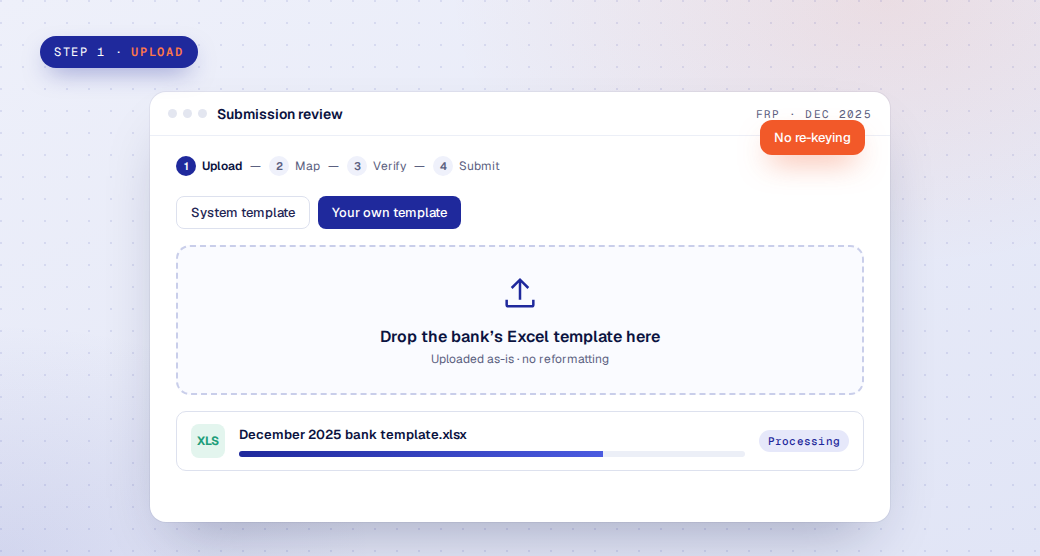
Step 1 · Upload
Drag in the bank template, as-is
Upload the system template or your own workbook, with no re-keying or reformatting.

Wekalp’s FRP package takes the template your team already fills in, maps it to the BSP’s schedules, and runs the BSP’s business rules and XML schema checks before the file is uploaded to the BSP portal, so errors are fixed in the bank instead of coming back after upload. Wekalp is ready with both FRP v15 and FRP v16, for the FRP and the eight reports filed alongside it.
The Financial Reporting Package is the BSP’s core prudential reporting: the financial statements and supporting schedules banks file each period, with related reports on capital, liquidity, branches, trust, microfinance, e-money and credit allocation filed alongside it. Both versions use the same nine reports and 105 schedules, and Wekalp is ready with v15 and v16 for all of them. FRP v16 moves to API-based submission, with live submission from the June 30, 2027 reference period.
One workflow for all nine: every report runs through the same template mapping, BSP business rules, XML schema checks, maker-checker approvals and filing history. FRP v16 timelines are set by the BSP, so check current BSP issuances.
The FRP is filed as schedules of figures. The platform takes the template your team fills in, or the schedules Source-to-Report Automation computes, maps it to the BSP’s structure, and runs the regulator’s own checks before the file leaves the bank. The same steps apply to FRP v15 and FRP v16.
Upload the system template or your own workbook, with no re-keying or reformatting.
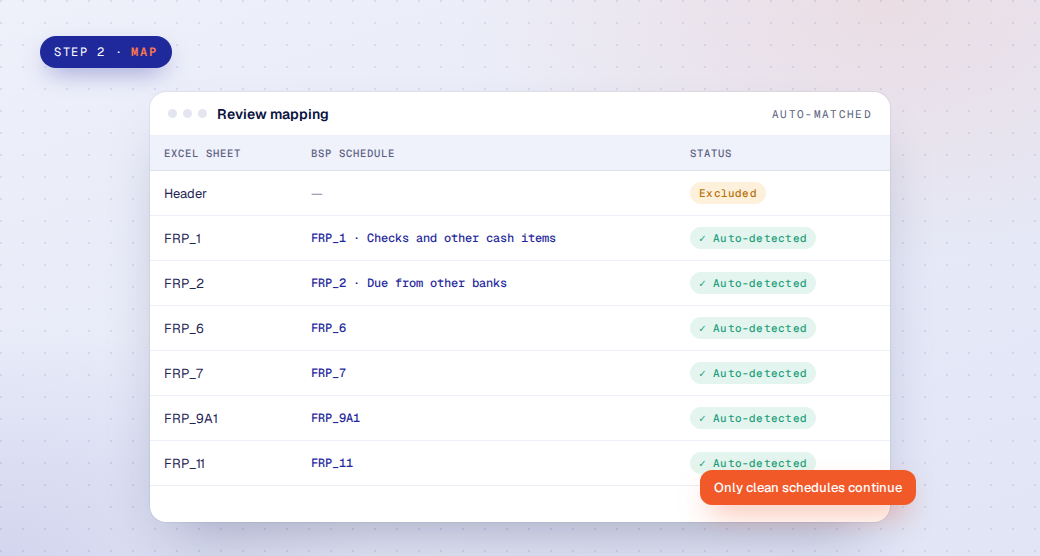
Sheets are auto-matched to BSP schedules. Anything that doesn’t map is flagged and left out.
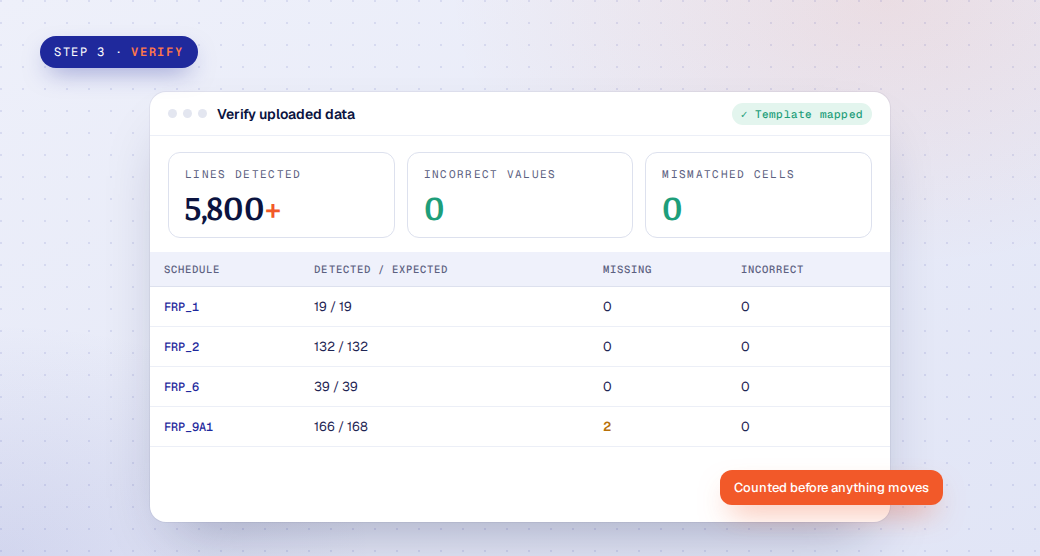
Detected, expected, missing and incorrect lines per schedule, with the mapped template to download.
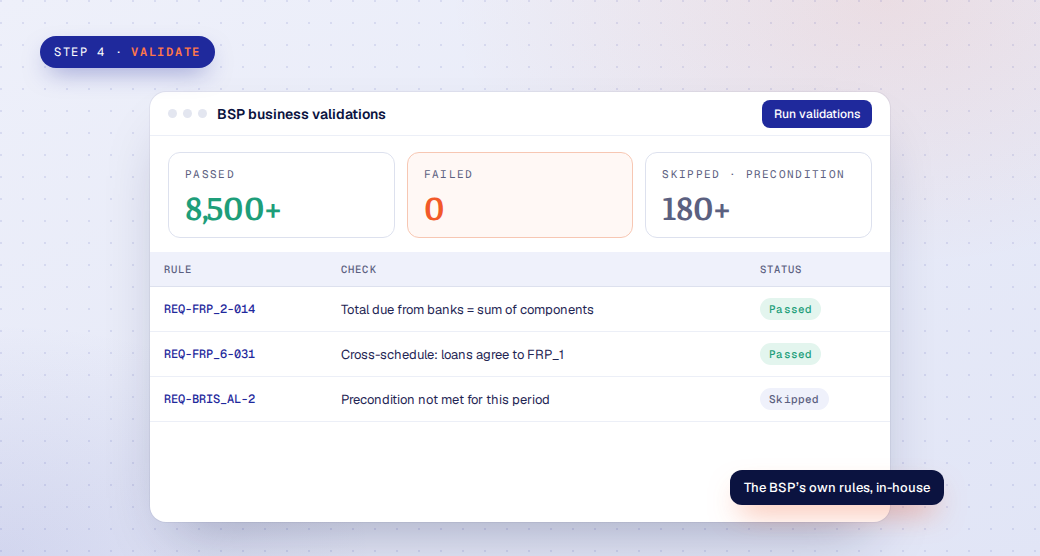
Every rule runs with its preconditions, so rules that don’t apply to the period are skipped, not failed.
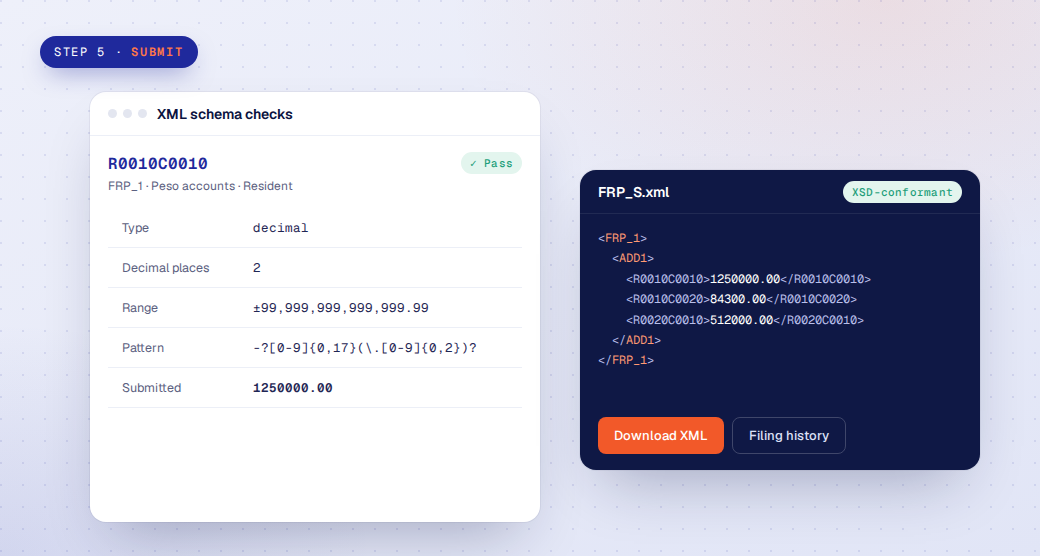
Each element is checked against the published XSD, approved by the submission team and filed, with regulator feedback tracked until accepted.
On the BSP portal, the FRP XML is checked only once it has been uploaded. A failed rule or a schema error comes back as a rejection, the team fixes the template, regenerates the file and uploads again, often close to the deadline. Wekalp runs the same business rules and the published XSD inside the bank, so the file that reaches the portal has already passed.
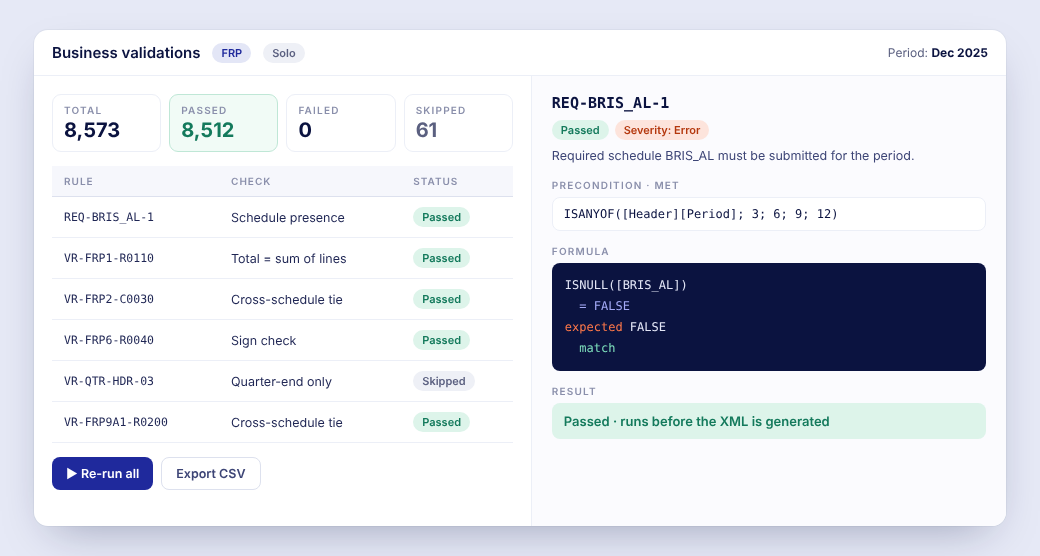
Each rule shows the precondition that decides whether it applies, the formula, the values it saw and the result. Rules that do not apply to the period are skipped, not failed.
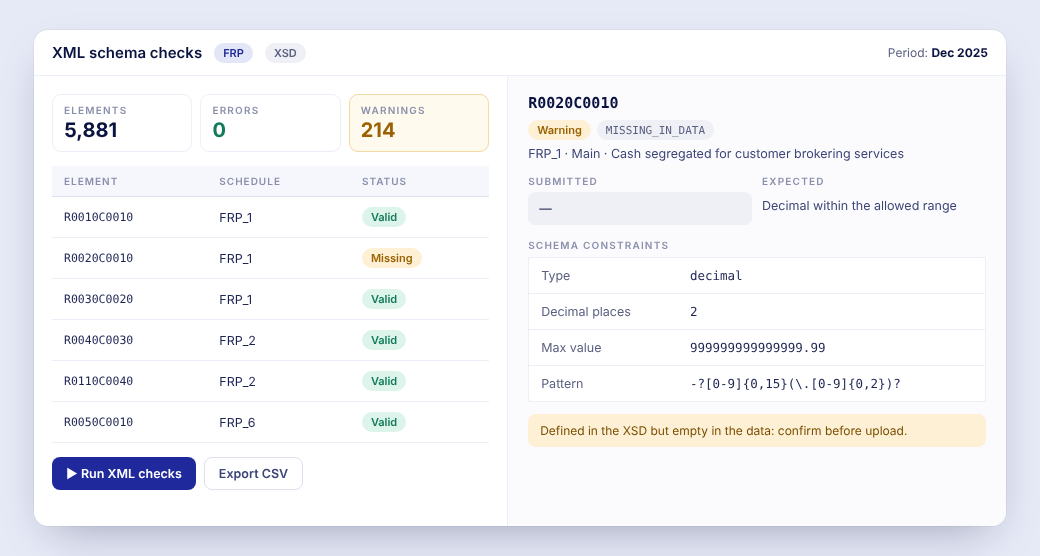
Each element is compared with its schema constraints: type, decimal places, range and pattern. Warnings such as an element defined in the XSD but empty in the data are flagged for a decision before upload.
For FRP v15, the platform produces the validated, schema-checked XML for your team to upload to the BSP portal. API submission is built in for when the bank and the BSP use it, as FRP v16 moves to API-based reporting. Either way, approvals, remarks and the filing history stay in one place.
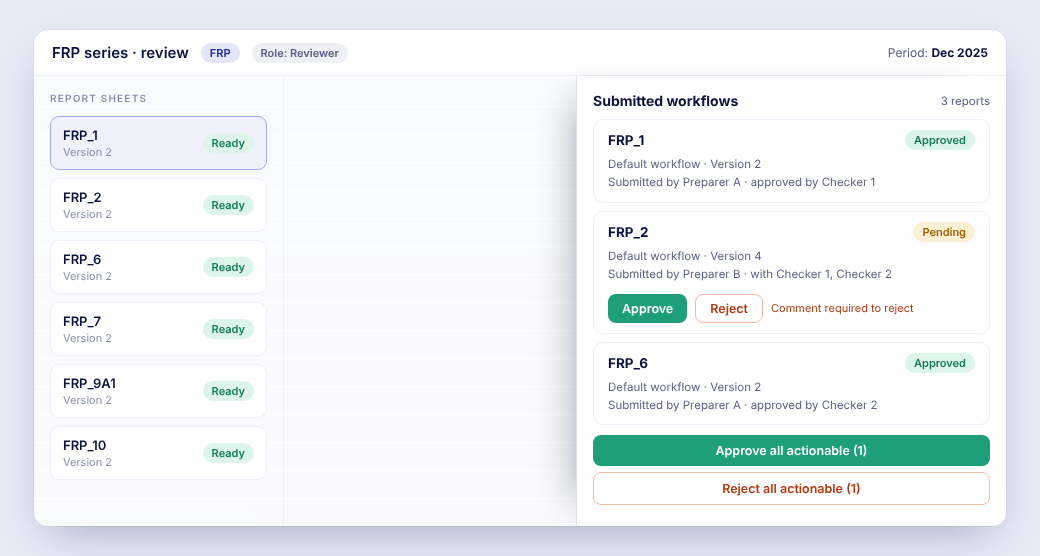
Reviewers approve or reject report by report or in bulk. A rejection needs a comment, so the preparer knows what to fix.
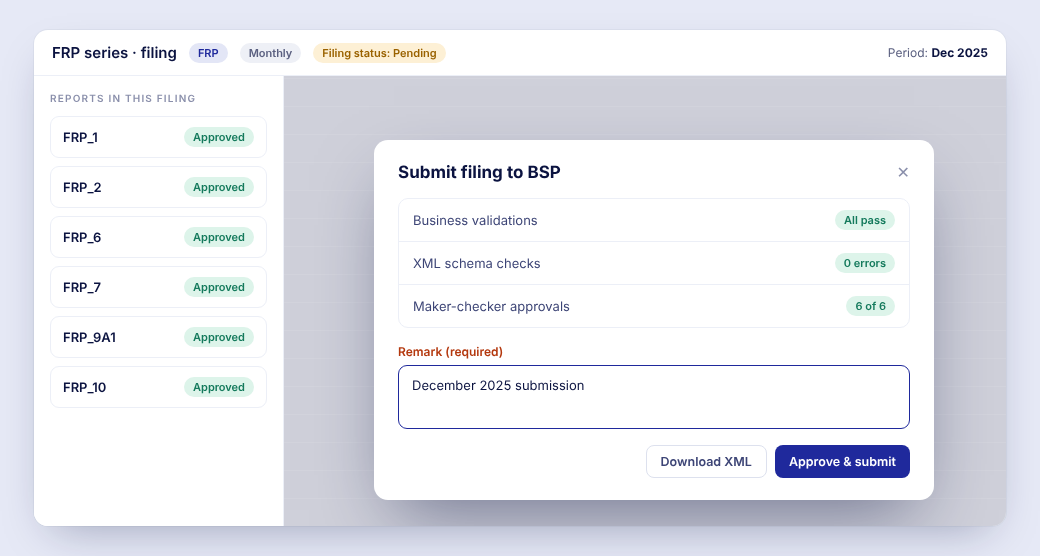
The filing shows its validation and approval status, takes a required remark, and either downloads the validated XML for the BSP portal or submits it.
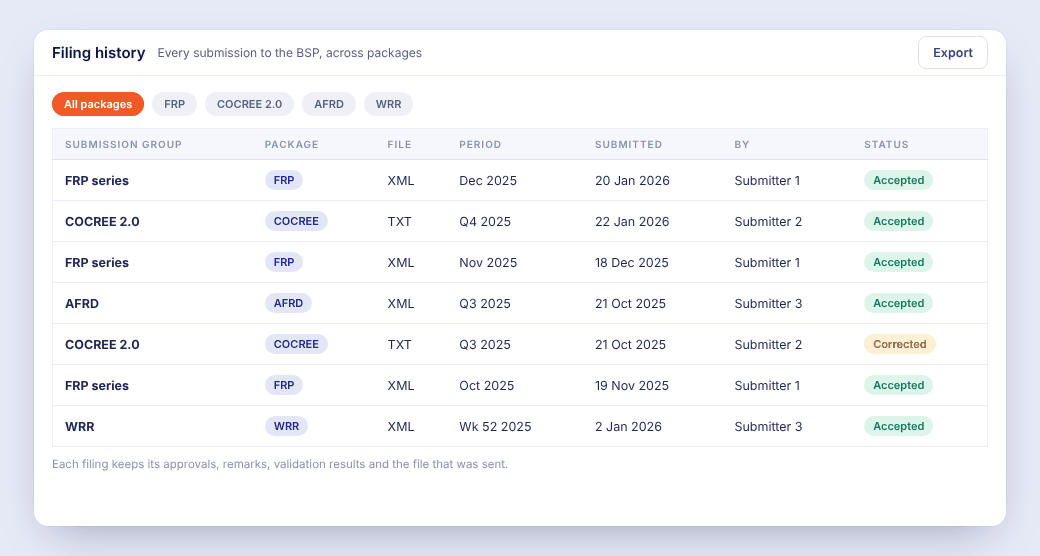
Every submission to the BSP, for FRP, COCREE 2.0 and the other packages, with its approvals, remarks, validation results and the file that was sent.
The BSP defines auto-generated cells, cross-schedule references and validation assertions in a specification language of its own. Wekalp executes that language natively, and absorbs each new specification straight from the source documents, release after release.
The Financial Reporting Package (FRP) is the set of financial schedules that banks submit to the Bangko Sentral ng Pilipinas. It is filed as schedules of reported figures and checked against the BSP’s business validation rules and its XML schema.
FRP v16 is the next version of the package. After the BSP extended the start, live submission begins with the June 30, 2027 reference period, and banks continue to file FRP v15 until then. Check current BSP issuances for the exact scope and dates.
Nine reports, in both v15 and v16: the Financial Reporting Package, the Report of Selected Branch Accounts (BRIS), the Capital Adequacy Ratio (CAR), the Electronic Money Report, the Report on Trust and Other Fiduciary Services (FRPTI), the Report on Microfinance Products, the Minimum Liquidity Ratio (MLR), the Report on Compliance with Mandatory Credit Allocation (MSME) and the Published Balance Sheet (PBS).
Yes. Wekalp is ready with both FRP v15 and FRP v16: templates, validation rules and schemas are built into the platform, so you can test against v16 during the transition window while FRP v15 filings continue as they are.
FRP v15 is filed by uploading the XML file to the BSP’s portal, and the BSP’s validations run after the upload, so errors come back as rejections that need a fix and a new upload. Wekalp runs the BSP’s business rules and the XSD checks before that, and produces the validated XML for the upload.
No. API submission is built in, for when the bank and the BSP use it as FRP v16 moves to API-based reporting. Until then, and whenever the bank prefers, the platform produces the validated XML for upload to the BSP portal. The choice is the bank’s.
Yes. Upload the bank’s own template as-is. Sheets are matched to the BSP schedules automatically and anything that doesn’t map is flagged. If you would rather have the schedules computed from source systems, Source-to-Report Automation builds them and hands them to the platform.